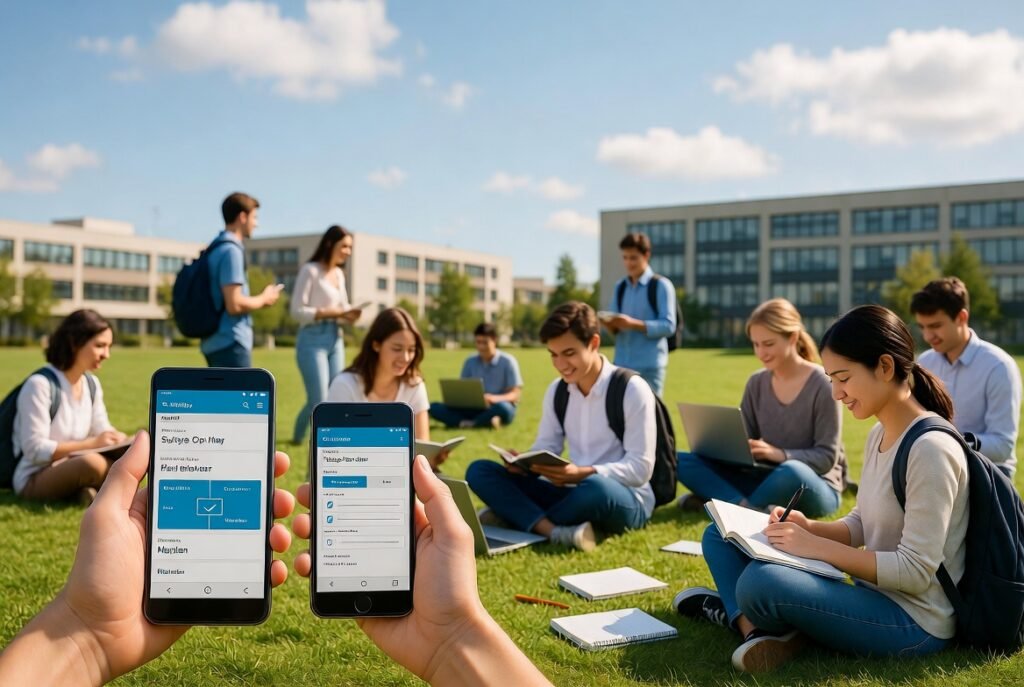
Choosing the right smartphone can shape daily life on campus in meaningful ways. Students juggle lectures, assignments, group projects, social connections, and personal growth, so a reliable device matters. Many young people compare options carefully before deciding, and the discussion around Android vs iPhone for students often centers on practical needs like battery endurance, note-taking tools, storage for textbooks and lecture recordings, camera quality for projects, and overall value for money. Both platforms offer strong performance, helpful apps for education, and features that support learning and communication. Understanding the strengths of each helps students pick a phone that fits their budget, study habits, and long-term goals without unnecessary stress.
Understanding What Students Really Need from a Smartphone
Campus life demands more than just calls and messages. A good phone becomes a study companion. It holds digital textbooks, records lectures, manages calendars, connects to campus Wi-Fi, and supports collaboration apps. Battery life ranks high because long days of classes leave little time for charging. Storage space matters when downloading large files or saving photos of whiteboards. Camera quality helps with scanning notes or documenting lab work. Ease of use reduces frustration during busy exam periods. Security protects personal data and academic accounts. Affordability remains important for many families. Both Android and iPhone address these needs, yet they approach them differently.
Android devices come from many manufacturers and offer wide price ranges. iPhones come from one company with a more consistent experience. Students often weigh customization against simplicity. Some prefer open systems that let them adjust settings freely. Others value a polished interface that works smoothly out of the box. The decision influences daily productivity and even how easily students stay organized across semesters.
Key Factors That Influence the Choice for Campus Users
Several practical elements guide most student decisions. Battery performance stands out first. Long lecture days and late-night study sessions drain power quickly. Android phones frequently include larger batteries and fast charging options across mid-range and premium models. Many last a full day of heavy use with room to spare. iPhones deliver efficient power management and solid all-day endurance, especially newer models with optimized software. Students who forget chargers at home often appreciate the extra capacity found on certain Android devices.
Storage and expandability come next. Digital textbooks, recorded lectures, project videos, and photo libraries fill space fast. Many Android phones still support microSD cards, allowing easy expansion without buying a higher-tier model. iPhones rely on fixed internal storage, so users must choose carefully at purchase or use cloud services. Cloud options work well on both platforms, yet local expansion gives flexibility for offline study materials.
App ecosystems support learning effectively on both sides. Note-taking apps, productivity suites, language tools, and collaboration platforms appear in both stores. Some specialized educational apps launch first or receive deeper optimization on one platform. Students often find the tools they need available regardless of choice. Integration with other devices also plays a role. Those already using certain computers or tablets may prefer seamless continuity within the same ecosystem.
Camera quality supports academic work beyond social sharing. Scanning handwritten notes, capturing diagrams, recording presentations, and documenting experiments all benefit from clear images. Modern Android phones and iPhones both produce excellent results. Computational photography helps in low-light classrooms or outdoor fieldwork. Video quality matters for group projects or online presentations. Students rarely find major gaps here anymore.
Build quality and durability affect long-term value. Phones face drops in backpacks, accidental spills, and constant pocket use. Both platforms offer sturdy glass and metal designs with water resistance on many models. Protective cases remain wise investments either way. Repair options and longevity differ. Some students prefer devices that receive software updates for many years, while others prioritize replaceable parts or lower replacement costs.
Exploring Android Advantages for Everyday Student Life
Android phones shine through variety and accessibility. Manufacturers produce devices at nearly every price point, from budget-friendly options suitable for first-year students to high-performance flagships. This range lets families match spending to actual needs without overspending. Customization stands as another strength. Users can change launchers, icon packs, widgets, and system behaviors to create a personal workflow. Students who enjoy organizing their home screen with quick-access study tools or calendar widgets often appreciate this freedom.
Battery life frequently impresses on Android. Many models pack high-capacity cells and support fast or even wireless charging. Power-saving modes extend usage during exam weeks when every hour counts. Multitasking feels natural. Split-screen features help compare notes while writing or watching a recorded lecture while taking annotations. File management remains straightforward. Students can move documents between folders easily and connect to external drives without extra steps.
Hardware diversity includes unique features. Some phones offer stylus support for precise note-taking, larger screens for comfortable reading, or advanced audio for clear online classes. Expandable storage continues to appear on many models, reducing pressure to delete old lecture recordings. Software updates vary by brand, yet leading manufacturers now deliver multi-year security and feature support. Students who research specific brands can find reliable long-term options.
One helpful perspective comes from students who have shared their own experiences. A college student’s view on choosing one platform over another often highlights real-world campus practicality and daily reliability. Another useful resource covers common display issues that can appear on certain devices and how users resolve them. Professional development in mobile technology also shows how both platforms continue evolving for educational use.
Android’s open approach allows greater flexibility with accessories and third-party tools. Students interested in coding or experimenting with apps sometimes find the environment more approachable. Parental controls and digital well-being features help maintain healthy habits during intense study periods. Overall, the platform rewards those who value choice and adaptability.
Examining iPhone Strengths in Academic Environments
iPhones deliver a refined and consistent experience. The interface feels polished from the first power-on. Students who prefer simplicity often settle in quickly without extensive setup. Software updates arrive simultaneously for all supported models and continue for many years. This longevity means a device purchased for the first year of university can remain useful through graduation and beyond with the latest features and security improvements.
Performance stays smooth even after years of use. The combination of hardware and software optimization keeps apps launching quickly and multitasking fluid. Integration across Apple devices creates helpful continuity. Students using MacBooks or iPads enjoy easy file sharing, handoff of tasks, and unified messaging. Continuity features reduce friction when moving between phone and computer during research or writing.
Privacy and security receive strong emphasis. Built-in protections help safeguard academic accounts, personal photos, and communication. App tracking transparency and permission controls give users clear oversight. Camera systems produce reliable results for scanning documents or capturing high-quality images for projects. Video recording remains excellent for presentations or group work.
The App Store maintains high standards for quality and safety. Educational apps often receive careful optimization. Features such as Focus modes help students limit distractions during study blocks. Live Text and visual intelligence tools extract information from images quickly, turning photographed whiteboard notes into editable text. Battery efficiency has improved steadily, and many users report full-day performance with moderate use.
Resale value tends to stay higher, which can help students recover costs when upgrading later. The ecosystem encourages thoughtful use rather than constant customization. For those who want a device that simply works well without frequent adjustments, the experience feels reassuring. Campus Wi-Fi connectivity, Bluetooth accessories, and reliable call quality further support daily needs.
Comparing Performance, Battery, and Daily Reliability Side by Side
Direct comparisons help clarify trade-offs. In pure processing power, recent flagship models from both platforms handle demanding tasks with ease. Video editing for class projects, running multiple productivity apps, or streaming educational content rarely causes issues. Mid-range Android options sometimes lag behind premium iPhones in sustained performance, yet they remain more than capable for typical student workloads.
Battery endurance often favors certain Android models with larger capacities. Real-world tests show many lasting longer under continuous screen use or mixed tasks. iPhones compensate with efficient chipsets and adaptive power management. Charging speed varies; some Android phones support very rapid wired charging, while iPhones offer solid wired and wireless options. Students who travel between dorms, libraries, and classrooms benefit from either approach depending on their charging habits.
Display quality has become excellent across both. High refresh rates make scrolling through notes or web pages feel smooth. Brightness levels handle outdoor campus pathways and sunny lecture halls. Color accuracy supports design or media courses. Screen size preferences differ; some students favor compact phones that fit easily in pockets, while others prefer larger displays for reading PDFs.
Software experience diverges most clearly. Android offers deeper customization and more visible file systems. iOS prioritizes consistency and polished animations. Notification management works well on both, though styles differ. Keyboard options and input methods give Android more variety, while iPhones provide accurate predictive text and helpful writing tools.
Longevity favors devices that receive timely updates. iPhones historically lead in years of support. Leading Android brands have closed the gap significantly. Students planning to keep a phone for three to five years should check specific model support policies. Repair ecosystems also differ; independent repair options exist for both, and official services remain available.
Budget Considerations and Long-Term Value for Students
Money matters for most students and their families. Android’s wide range includes capable phones at lower price points. A well-chosen mid-range Android can deliver nearly all needed features without premium costs. Accessories and cases often cost less as well. iPhones typically start higher, yet strong resale values and long software support improve total ownership cost over time. Financing or carrier plans appear for both, though students should evaluate overall expense carefully.
Used or refurbished markets provide additional options. Certified refurbished iPhones and Android devices can offer savings while maintaining reliability. Storage choice affects price significantly on both platforms. Opting for higher storage at purchase often proves wiser than relying solely on cloud services for large academic files.
Hidden costs include cases, screen protectors, chargers, and potential repair expenses. Both platforms benefit from protective accessories. Students who research common issues and solutions save time and money later. Resources discussing display concerns on Android devices can help users stay informed about maintenance.
Overall value depends on individual priorities. Those seeking maximum features per dollar often lean toward Android. Those prioritizing long-term consistency and ecosystem benefits may prefer iPhone. Either choice can support academic success when selected thoughtfully.
Software Updates, Security, and Peace of Mind
Security protects grades, personal information, and future opportunities. Both platforms take this seriously. Regular security patches close vulnerabilities. iPhones receive updates for a longer typical lifespan across the entire lineup. Android updates depend on the manufacturer and carrier, though major brands now commit to multi-year support. Students should verify the update policy for any specific model under consideration.
Privacy features help control data sharing. Permission systems on both platforms allow granular control over camera, microphone, location, and contacts. Students using campus apps or online learning platforms benefit from strong defaults. Biometric unlock methods, including fingerprint and facial recognition, add convenience and protection.
Digital well-being tools encourage healthy habits. Screen time reports, app limits, and focus modes appear on both systems. During exam seasons these features help maintain balance between study and rest. Parental or self-imposed controls support responsible use without feeling restrictive.
Camera, Creativity, and Project Support
Academic projects often require visual documentation. Both Android and iPhone cameras excel at still photography and video. Night modes, portrait effects, and high-resolution sensors produce clear results in varied lighting. Document scanning apps leverage the camera effectively for converting paper notes into digital files. Students in design, science, or media courses gain particular value from quality imaging.
Video capabilities support recorded presentations, lab demos, or collaborative content. Stabilization and audio quality improve the final product. Editing apps available on both platforms allow refinement without needing a computer. Creative freedom remains high regardless of choice.
Ecosystem Integration and Accessory Compatibility
Students already invested in certain computers or tablets experience smoother workflows within matching ecosystems. File transfers, clipboard sharing, and notification continuity reduce friction. Those mixing platforms still achieve good results through standard apps and cloud services. Accessories such as wireless earbuds, smartwatches, and keyboards work across both, though deeper features sometimes favor matching brands.
Stylus support appears on select Android devices and can enhance note-taking for those who prefer handwriting. Keyboard cases and stands improve productivity during longer writing sessions. Campus charging stations and power banks remain useful companions for any phone.
Real Student Experiences and Practical Advice
Many students share thoughtful reflections on their choices. One college perspective explains reasons for preferring one platform after direct comparison of daily campus demands. Such accounts highlight battery reliability, app availability, and personal workflow preferences. Display-related guidance also helps users maintain clear screens for reading and note review. Broader industry insights into mobile development show ongoing improvements that benefit educational users on both sides.
Practical tips include testing phones in store when possible, checking campus network compatibility, and reading recent user reviews focused on student use cases. Evaluating actual storage needs prevents later frustration. Considering future plans, such as potential graduate studies or professional entry, can influence whether long software support or lower initial cost matters more.
A balanced view of smartphone platforms appears in established reference materials that outline technical differences and market positions. These resources help students form informed opinions grounded in facts rather than marketing claims.
Making the Final Decision with Confidence
No single answer fits every student. Android vs iPhone for students ultimately depends on personal priorities, budget, existing devices, and preferred style of interaction. Android offers variety, customization, expandable storage, and strong battery options at accessible prices. iPhone provides consistency, long-term updates, refined performance, and seamless ecosystem benefits.
Students should list their top three needs—perhaps battery life, note-taking ease, and budget—then match those needs against specific current models. Trying the interface in person often clarifies preferences quickly. Speaking with classmates about their experiences adds real-world perspective. Checking official update policies and warranty terms protects the investment.
Whichever platform is chosen, the phone becomes a tool for learning, connection, and growth. Used wisely, it supports academic goals, maintains healthy balance, and remains a reliable companion through years of study. Focus on features that genuinely improve daily life rather than chasing every new specification. Thoughtful selection leads to greater satisfaction and fewer distractions from the important work of education.
Both systems continue to improve. New features for productivity, accessibility, and creativity appear regularly. Students who stay curious and adaptable will thrive with either choice. The best phone is the one that feels natural in hand, lasts through long days, and stays out of the way while supporting success in classes and beyond.
Consider starting with a clear list of must-have features, setting a realistic budget, and researching two or three specific models that meet those criteria. Read recent student-focused reviews, compare actual battery tests, and verify software support timelines. Visit a store to hold the devices and test the interfaces. Ask about return policies in case the choice needs adjustment after real campus use. With careful consideration, the decision becomes straightforward and empowering.



Leave a Reply